Not every RFP in your pipeline deserves the same attention on the same day. The hard part is knowing, at a glance, which ones actually do. That's what Level of Effort and Priority scoring are built to answer.
What Level of Effort Actually Measures
Every RFP in RFP Planner can be tagged Small, Medium, or Large Level of Effort (LOE) — a rough read on how much work the response itself will take, independent of the deadline. You can set it manually the moment an opportunity lands in your pipeline, or let the system read the solicitation and assign it automatically.
Priority Is LOE Plus Time Pressure
Priority — High, Medium, or Low — is calculated automatically by combining that effort estimate with how close the response deadline actually is. A Large-effort RFP due in six weeks and a Large-effort RFP due in six days are not the same problem, even though they'd look identical on a plain to-do list. Priority scoring is what tells you, without anyone doing the math by hand, that the second one needs attention today.
Color-Coded Everywhere You're Already Looking
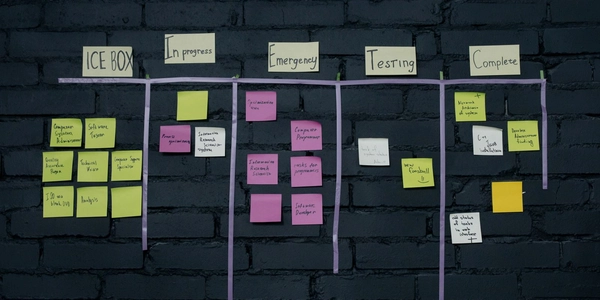
Both LOE and Priority show up as color-coded badges throughout the Kanban board, the List view, and each RFP's detail page. A team lead can scan the whole backlog in the time it takes to scroll past it once, instead of opening ten tabs to figure out what actually needs a decision this week.
Why This Matters More as You Grow
Triage by feel works fine when you're tracking three or four RFPs. It stops working somewhere around ten, and it fails completely once a team is juggling dozens of opportunities from SAM.gov and state portals at once. Automatic Priority scoring is what keeps a growing pipeline from quietly burying the one RFP that was both big and urgent underneath a dozen smaller, less pressing ones.
Manual Override, Always
Automatic scoring is a starting point, not a mandate — you can adjust LOE or Priority by hand any time your read on an opportunity differs from the system's. The goal isn't to remove judgment from the process, it's to make sure nothing worth judging goes unnoticed in the first place.
Consider a team with fifteen active RFPs on a Monday morning. Without automatic scoring, figuring out which one needs attention first means opening all fifteen, checking each deadline against its likely workload, and holding all of it in your head at once. With Priority scoring, the same team opens the pipeline and sees the RFPs that are both substantial and close to due sorted to the top, without anyone doing that math by hand. The rest aren't ignored, they're just correctly deprioritized for today, which is exactly the judgment call triage is supposed to make easier, not harder.
Scoring works best once your company profile is filled in, since a more complete profile helps automatic Level of Effort estimates reflect the kind of work your team actually takes on. Pair Priority scoring with our RFP template for the opportunities that land in your queue, or reach out if you want a walkthrough of how scoring fits into your specific pipeline.